
How do I create a quiz?
From your quiz list, select New Quiz. Choose an occasion to get a starting set of questions, or select Skip to start with a blank quiz.
How do I generate questions for my occasion?
Section titled “How do I generate questions for my occasion?”Choose the occasion that fits your quiz. Select Other if none of the options fit.
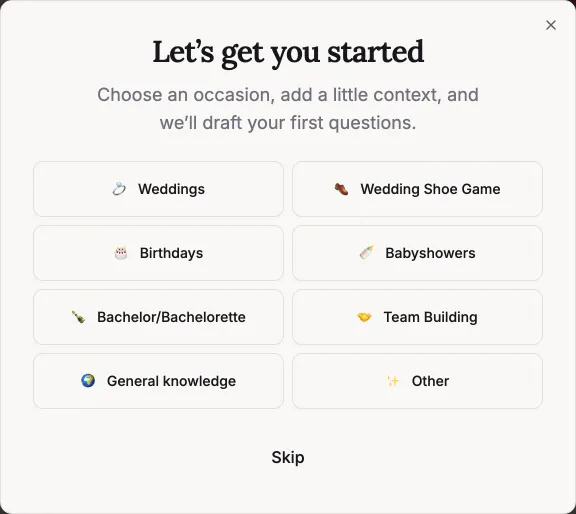
Add a little context: who the quiz is about, their interests, shared memories, or topics to include or avoid. For example: “Alex is turning 30, loves cooking and live music, and organises our weekend trips.” Details are optional unless you choose Other.
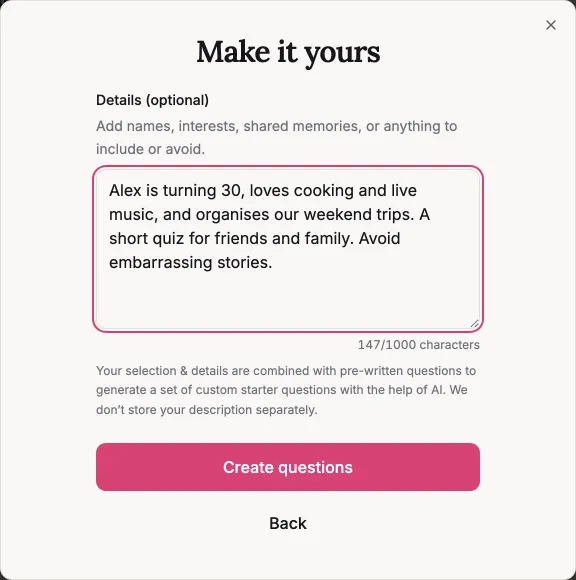
Select Create questions. We use AI to draft 5–10 questions based on your selection and any details you provide. When they are ready, select Open my quiz to review them in the editor.
Your description is sent to our AI provider.
Do I need to check the generated questions?
Section titled “Do I need to check the generated questions?”Yes. They are a starting point, not a finished quiz. Check the wording, answer options, and correct answers before sharing. We cannot know personal facts you have not supplied, and AI can make mistakes.
Edit, reorder, or remove anything that does not fit. You can also add your own questions or ready-made question templates.
Can I write the questions myself instead?
Section titled “Can I write the questions myself instead?”Yes. Select Skip in the occasion chooser to open a blank quiz. You can write your own questions or add templates in the editor without generating anything.
What if the questions cannot be generated?
Section titled “What if the questions cannot be generated?”Follow the options shown to try again, start with a template, or write your own questions. There is a separate limit on AI generation; it does not limit how many quizzes or questions you can create yourself.
When do I choose how people play?
Section titled “When do I choose how people play?”Once you have reviewed your questions, choose whether to host live or share a self-paced quiz. Generating questions does not publish your quiz.