

How do I add a poll to my quiz?
A poll lets everyone vote without a right or wrong answer. Use one when you want to hear the room’s opinion, then show how the votes split.
How do I create a poll?
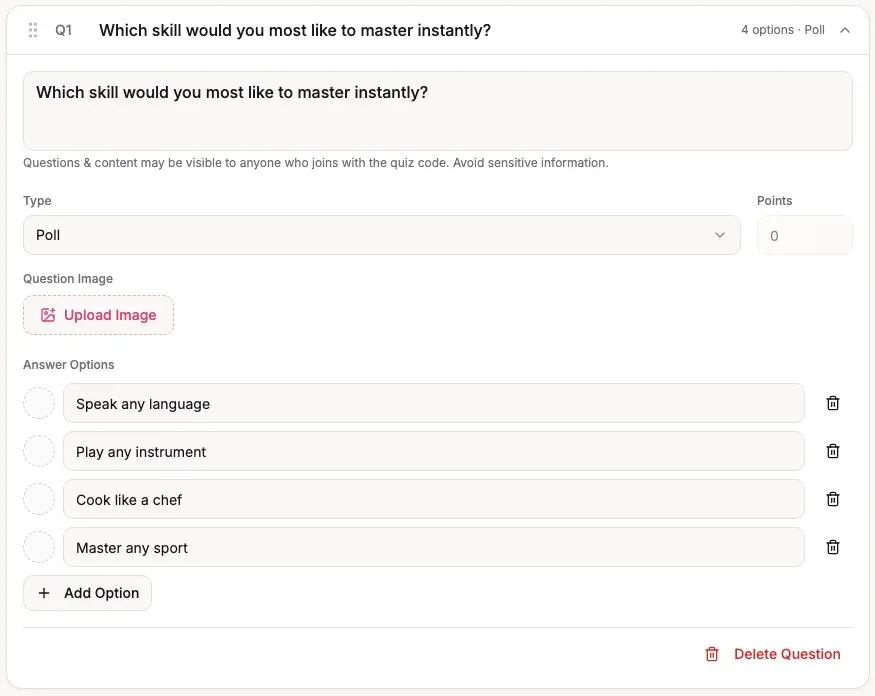
Section titled “How do I create a poll?”Open your quiz in the editor and select Add Question. Change the question type to Poll, write your question, and fill in the answer options. You can put a poll alongside scored questions in the same quiz. A poll has no correct answer and awards no points.
What happens when I run it live?
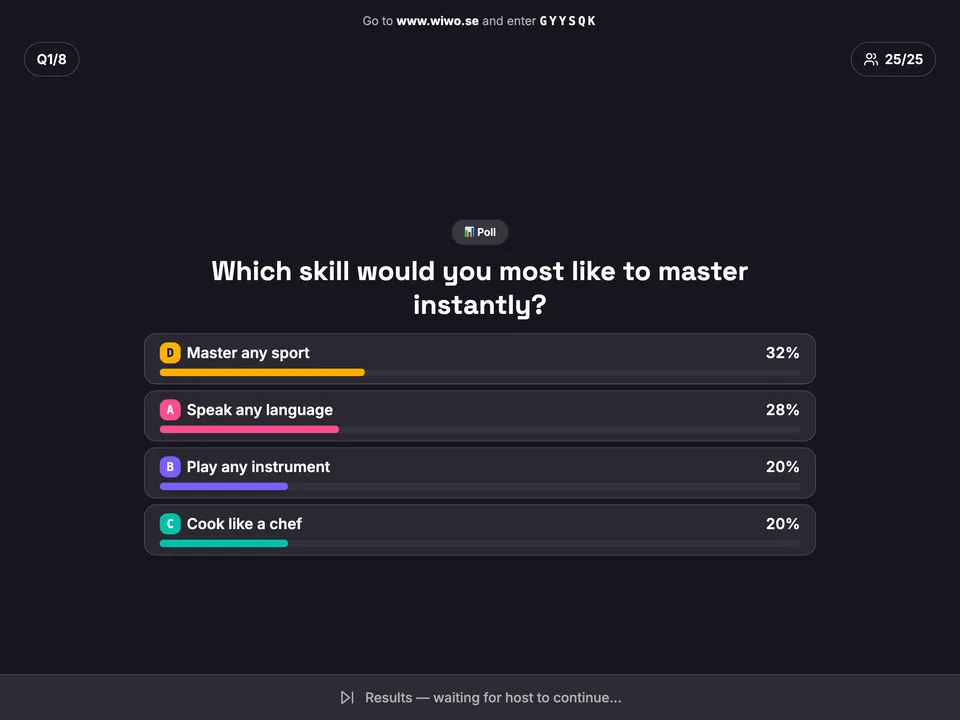
Section titled “What happens when I run it live?”Host the quiz as usual. Players choose an option on their own devices. When you reveal the poll, the results show the percentage of votes for each option; there is no answer marked correct.
You can also add a poll to a self-paced quiz. To review its saved responses, open the quiz’s submissions and results and switch to the question view.