How to Host a Party Quiz Without a TV or Projector
Published
A birthday dinner in a restaurant or a bachelorette weekend in a rented house might not have a screen everyone can see. You can still run a short personal quiz without rearranging the room or borrowing a projector.
Yes, you can host a live quiz without a TV, projector, or laptop. In wiwo, the host controls the quiz from a phone, while guests see the questions and answer choices on their own devices. A shared screen is optional. You still need an internet connection and someone to move the live quiz along.
The useful question is whether everyone can hear the host. Around a dinner table, that is usually straightforward. Across a noisy bar or several rooms, removing the screen does not solve the problem of getting everyone’s attention.
What you need
- One phone for the host, with the quiz open in Host View.
- A phone for each player or small group. At a seated dinner, one person can enter the table’s agreed answers.
- Working Wi-Fi or mobile data for the host and participating devices. This is not an offline mode.
- A few prepared questions and checked answers. Six to ten questions make a manageable first round.
Guests do not need to install an app or create an account. Charge the host’s phone beforehand and test joining from another device in the room where you will play.
Get everyone in without a projected QR code
Open your quiz, select Play, choose live play, and continue to Host View. The joining code appears on the host’s screen.
Ask guests to open wiwo.se, our short joining address, and enter that code. They choose a name and join. Read the code aloud, write it on a small card, or put it in the party’s group chat so nobody has to remember it while switching apps.
You can also save or print a poster with a QR code for guests to join the live quiz. It matches the quiz’s colors and fonts and includes the join code. Put it where guests can scan it, without passing the host’s phone around. See how to open and print the poster.
For one phone per table, use a name such as “Table 3” rather than an individual name. The table discusses each question, and that person submits one answer for everyone. That device’s score becomes the table’s score.
What the host and guests see
Both views show the question. The difference is what you can do with it: the host has controls to reveal the answer and move on; guests select and confirm their answer. They do not need to read the question from the host’s phone.
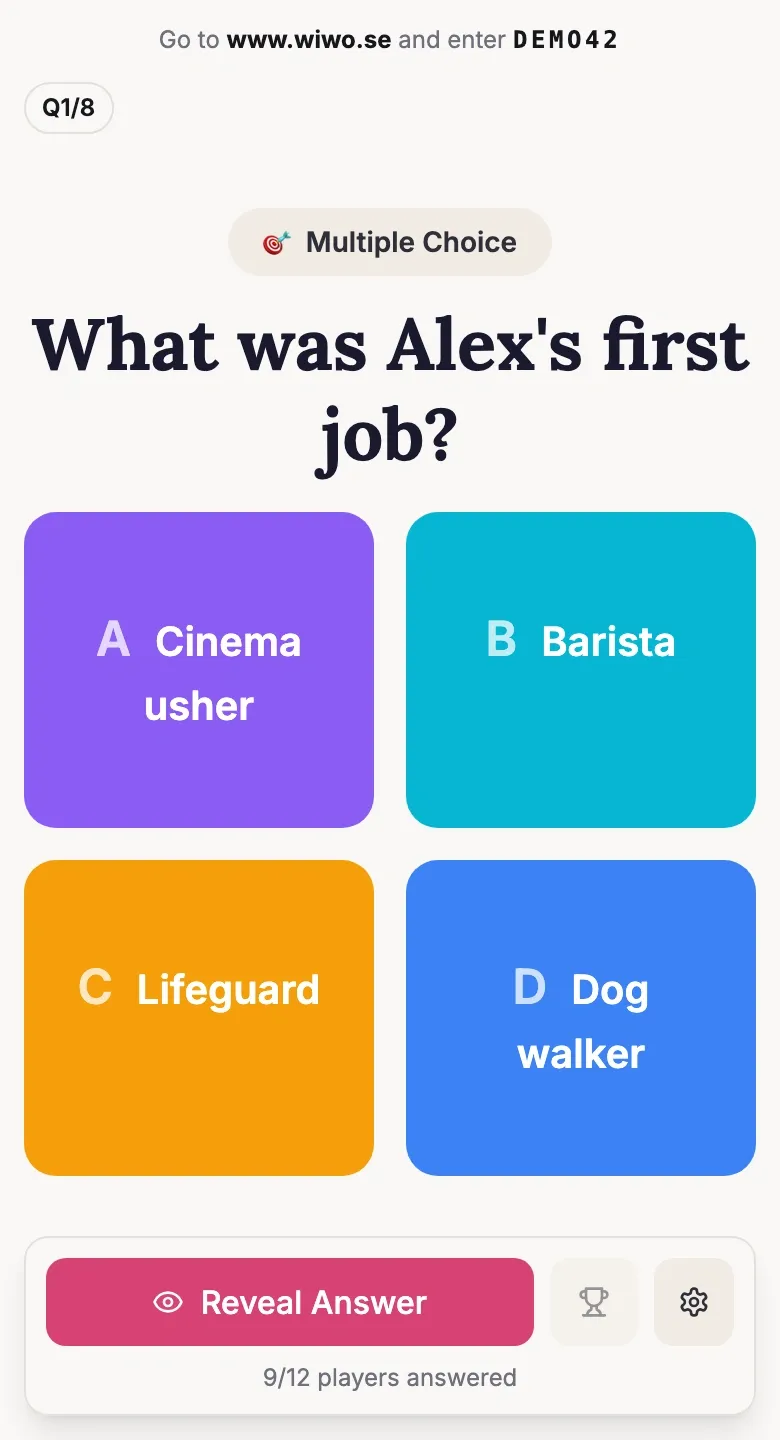
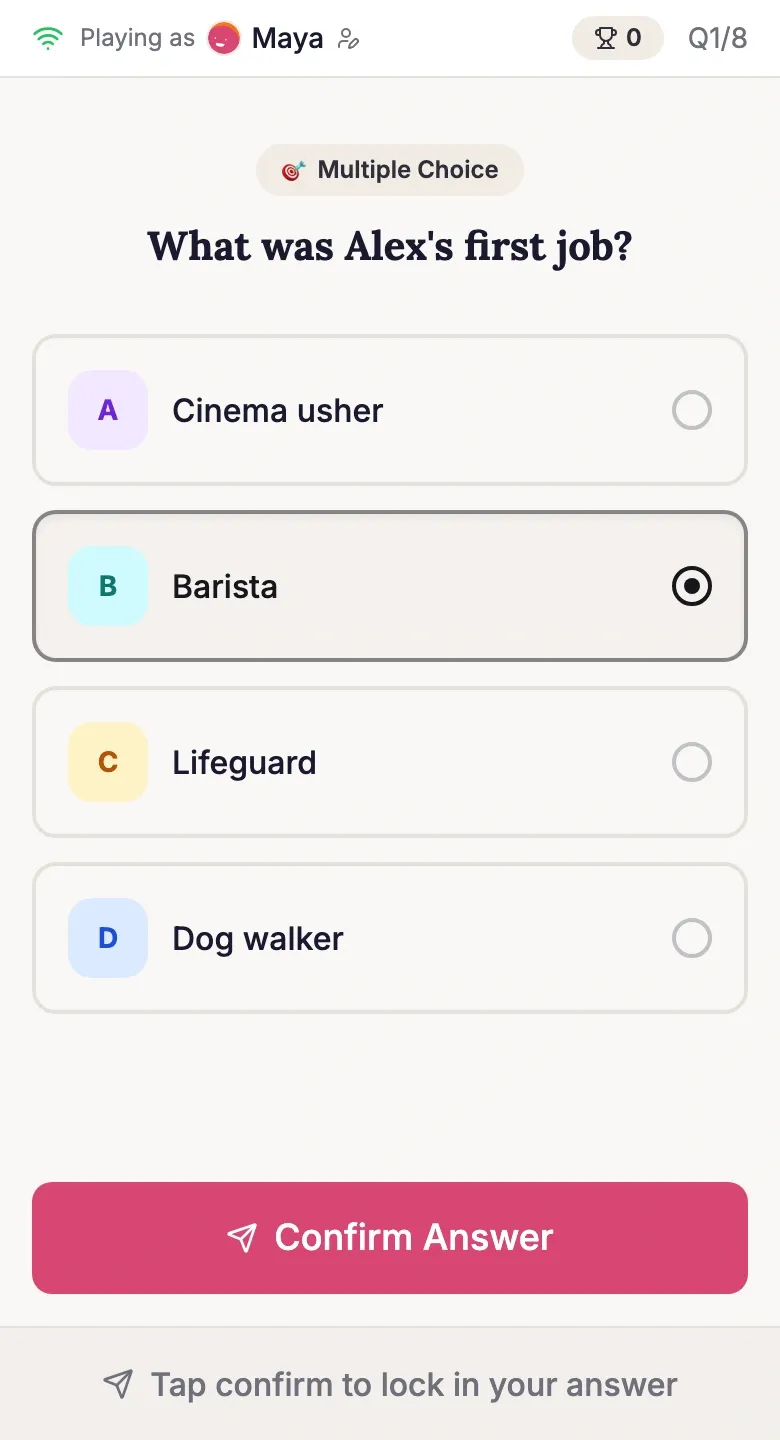
Read the question aloud anyway. It keeps the group together and gives people a reason to look up after answering. At a birthday, “What was Alex’s first job?” can lead to a short story once the answer is out, rather than everyone silently working through a screen.
Ask one question at a time and let guests discuss the answer
- Wait for guests to join, then start the quiz. Explain whether people are playing individually or sharing a phone.
- Read the question and let people answer. Guests select an option and confirm it; text questions let them type a response instead.
- Reveal the answer when you are ready. If you use a timer, you can also choose automatic reveals when time runs out. The result appears on guests’ devices, so a projected answer slide is not needed.
- Let the person the question is about add a sentence or two, then move to the next question.
For a relaxed table discussion, you can turn the timer off and choose Standard scoring rather than the default Time Bonus. If you want everyone to see the final standings on their own phones, check Show guests the final leaderboard in the live settings. The live timers and scoring guide and leaderboard guide explain the controls.
Photos work, but choose them for a phone
A clear holiday photo or childhood picture can work without a big screen because guests can inspect it on the device in front of them. Avoid tiny signs, crowded collages, or details that only make sense when enlarged on a wall.
If the image is the clue, set it to Always visible. If it is a surprise to show after the answer, use Show on reveal. Question images require Premium. See how to make a photo quiz for picture-round ideas.
When another setup is better
Use a TV or projector when the whole room needs to look at one image together, or when a large audience needs a common focal point. In wiwo, Big Screen View is an optional presentation view without the host controls; adding it does not mean giving up hosting from your phone.
Choose paper if the connection is unreliable or your guests would rather keep phones away. Read the questions aloud and let someone mark the sheets. No projector is needed for that either.
If nobody wants to host, share a self-paced quiz instead. Guests can answer through a link when it suits them, but it will not be the same synchronised live round. That can be a better fit for a busy party where people are coming and going.
You can create and test a quiz free with up to five live players. For a larger group, Premium is US$19 per quiz for up to 200 live players, with no subscription.
Ready to use these ideas? Create a quiz on playwiwo.com and choose whether guests play live or at their own pace.
Create your quiz →