How to Make a Photo Quiz With Your Own Pictures
Published
A holiday photo can start a good disagreement about where it was taken. An old team picture can bring back a story half the room has never heard. A photo quiz gives those pictures something to do: let people look, make a guess, and hear the answer together.
To make a photo quiz, choose a few pictures, write one clear question for each, and check the answers before sharing. You can run it with printed sheets or use an online quiz maker to collect answers and calculate scores. In wiwo, adding question images requires Premium; both live and self-paced play support them.
Start with six to ten questions. For a birthday, bridal shower, or bachelorette party, build the round around the person you are celebrating: childhood photos, favourite places, hobbies, and shared memories. Mix pictures friends will recognise with a few that newer guests can work out from visible clues.
Choose categories that fit your group
Pick two or three categories that give different people a chance to shine. You could mix a travel round with hobbies and a few personal memories.
Travel and places
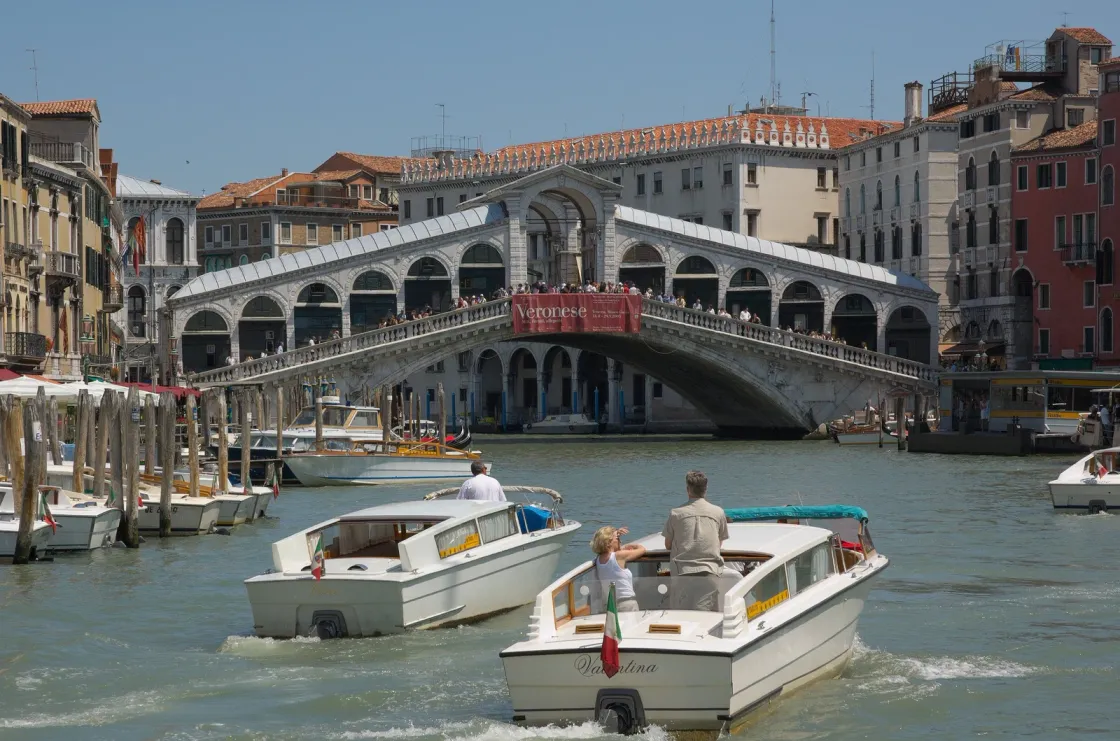
Which city is shown in this photo?
- A. Amsterdam
- B. Venice
- C. Bruges
- D. Copenhagen
Show answer
B. Venice. The photograph shows the Rialto Bridge.
Holiday photos, landmarks, and familiar local spots make a good travel round. Ask people to name a place, match it to a trip, or work out where a photo was taken from details in the background. Mix recognisable destinations with places connected to the group. Avoid exact dates unless the picture gives people a fair chance.
Animals and nature
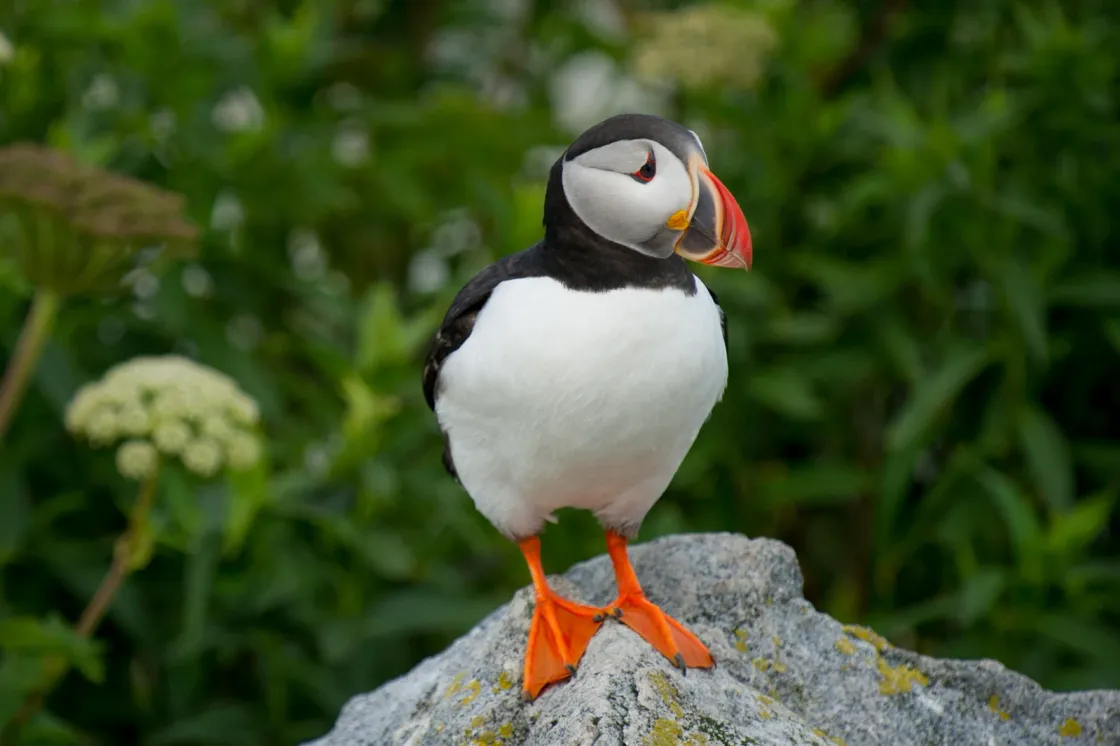
Which bird is this?
- A. Razorbill
- B. Guillemot
- C. Puffin
- D. Oystercatcher
Show answer
C. Puffin.
Use wildlife, plants, or family pets for a round that does not depend on everyone knowing the same people. Set the difficulty for your audience: identifying an animal may be enough, while nature enthusiasts might enjoy naming a particular species. A close-up of a leaf, paw, or feather can make a familiar subject less obvious.
Sports and hobbies
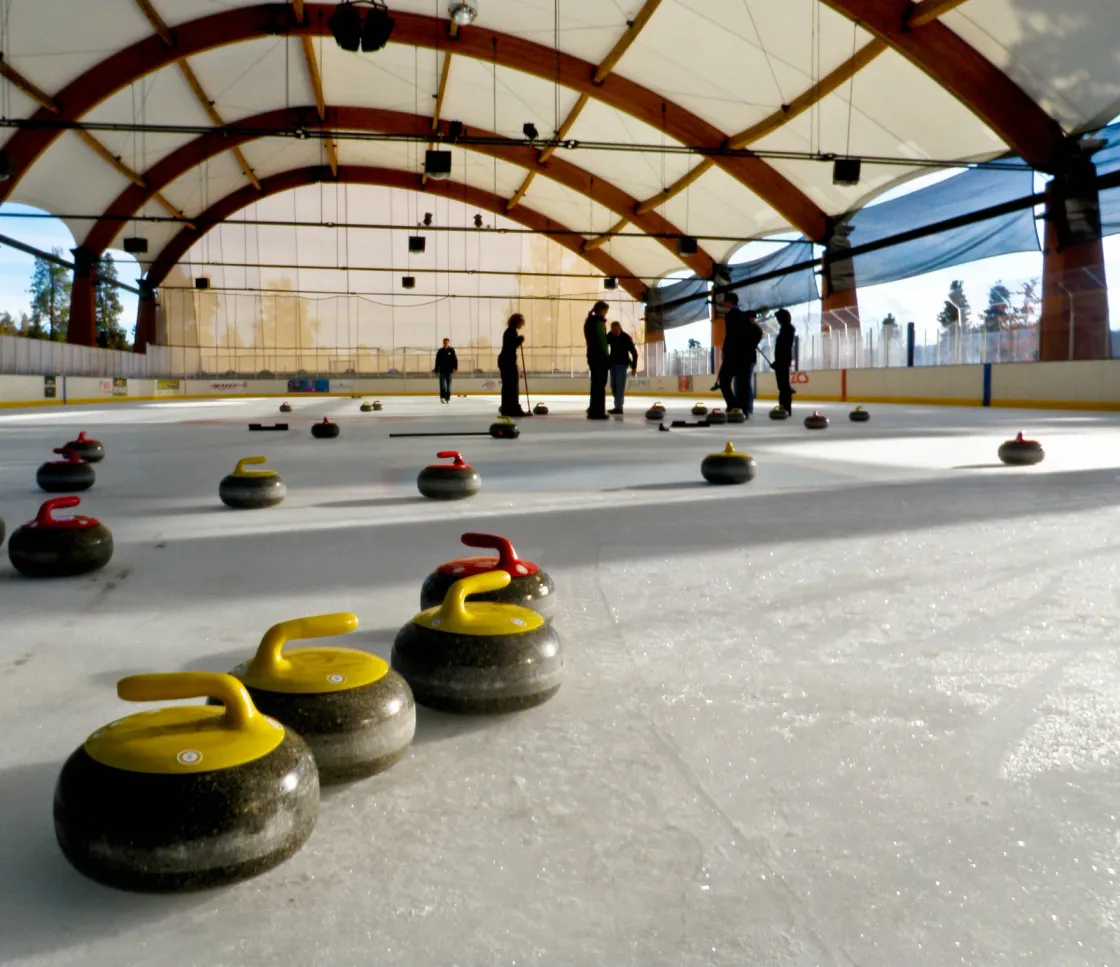

Which sport uses these stones?
- A. Curling
- B. Lawn bowls
- C. Shuffleboard
- D. Pétanque
Show answer
A. Curling.
Equipment, venues, and activities give you more variety than a round of famous faces. Include a shared hobby or something the group has tried together. Ask people to identify the activity, spot a detail, or guess whose hobby it is. Leave room for the story behind a photo once the answer is out.
People and shared memories
For a baby shower, use these baby shower quiz questions to collect approved answers before the celebration.
For a year-end version, use these New Year’s Eve quiz prompts to build a round around your group’s own year.
Childhood photos, old outfits, pets, and memorable trips work well for birthdays and weddings. Mix stages of life so the quiz is not only for the oldest friends. You can also let the group vote on a photo, such as which holiday they would most like to repeat, without needing a correct answer.
Choose pictures people can actually use
A good quiz photo has a clear subject and enough detail to survive a small phone screen. Crop out empty space before uploading, but keep the clues players need. Check that a sign, caption, or name badge does not accidentally give away the answer.
For a personal quiz, collect pictures from different parts of the person’s life. Newer friends should get a chance to reason their way to an answer too. Our birthday quiz questions include prompts you can adapt around your own pictures.
Use your own photos or pictures you have permission to reuse, and include any required credit. Ask before sharing private or potentially embarrassing pictures of other people.
Add your photos and answers in wiwo
- Create a quiz, then open it in the editor and select Add Question.
- Write the question and choose a format. Multiple choice gives people options, a text answer lets them name what they see, and a poll collects opinions with no right or wrong answer. Add the options or correct answer where needed.
- Add the photo under Question Image. Question images require Premium; you can prepare questions and test the free player flow before upgrading.
- Choose when the image appears, then use Preview to check that the picture and options are readable. Try the player view on another phone too.
For text-answer questions, you can allow small spelling mistakes so a minor typo does not spoil a correct guess. Mix formats when it suits the round; not every photo needs the same kind of question.
Show the clue now or save the picture for the reveal
Choose Always visible when players need the photo to answer, such as identifying a place or animal.
Choose Show on reveal when the photo is the payoff. For example, ask which city a couple visited on their first trip, then show their actual holiday photo after the answer. A question asking people to identify an unseen picture would not work.
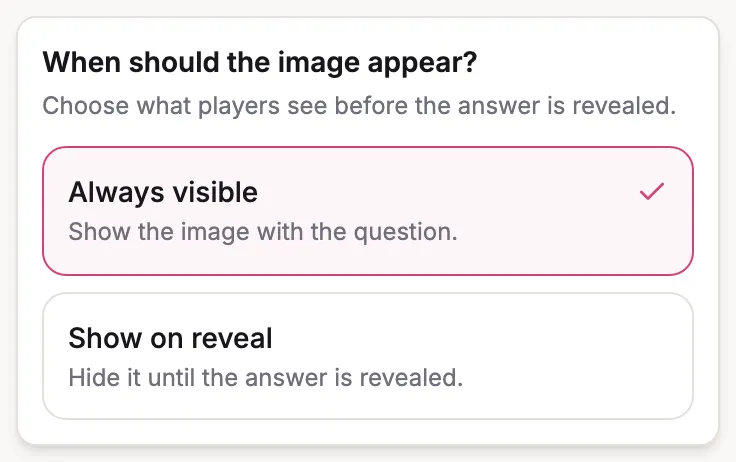
The question-image help article explains both options. For self-paced play, check Show correct answers as well if the picture should appear after each answer.
Play together or collect answers beforehand
Live: a host moves through the questions while players answer in their browsers using a code or QR code. A TV or projector makes it easier to look at the photos together, but is optional. Leave enough time to inspect each image, then give a good reveal a moment before moving on. See our live quiz hosting guide for planning the round.
Self-paced: share a link or QR code so people can answer when it suits them. Turn on Save submissions if you want to review the group’s answers later. You can then use Present results to show saved results question by question on a shared screen, using the quiz’s colours and fonts. This works when people answer before an event and you want to discuss the pictures together once everyone arrives. See self-paced results and presentations.
To see how answering works before you build, try our sample quiz.
What does a photo quiz cost?
In wiwo, Premium costs US$19 per quiz and includes question images, up to 200 live players, and up to 200 saved self-paced submissions. You pay once for that quiz, with no subscription. See current pricing for your currency and compare the options before inviting the group.
For a short round around a table, printed photos and pens are another option. The online version is useful when you want automatic scoring, remote participation, or a link people can answer beforehand.
Ready to use these ideas? Create a quiz on playwiwo.com and choose whether guests play live or at their own pace.
Create your quiz →